February 2026
February 28, 2026
When your configured AI provider (OpenRouter) fails or times out, CrawlChat now automatically falls back to OpenAI's gpt-4o-mini. It ensures you still get an answer during provider outages, rate limits, or transient errors.
February 21, 2026
You can now ask CrawlChat to answer a message by reaction. It is very helpful when you someone asks a question and you know that the CrawlChat bot can answer it.
- React with 💬 to a message
- The bot picks up that message as the prompt and replies in context
- This makes quick follow-ups easier in busy channels and threads
- Works on both Slack and Discord
February 19, 2026
Added Short Questions to make question summaries easier to scan at a glance, especially when conversations include multiple languages.
This helps you quickly understand what a user is asking, even if the original question is in another language:
- get a compact summary without reading a long full message
- identify intent faster when triaging questions
- review multilingual conversations more efficiently
- reduce back-and-forth
February 16, 2026
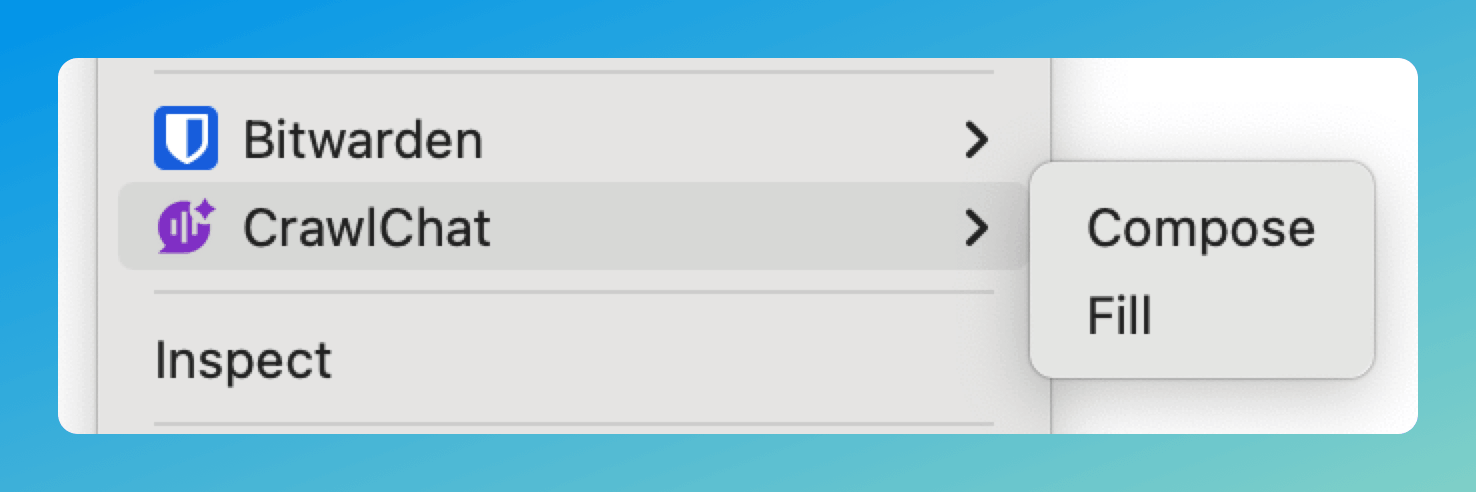
The Chrome Extension now supports a context menu for composing and filling text. Right-click on any text field to access CrawlChat directly — no need to use the sticky button or keyboard shortcuts.
- Click on any text field
- Give the instruction to compose. Ex:
write about installation under 50 words - Right click on the text field
- Go to CrawlChat
- Select Compose to generate and review before inserting
- Select Fill for instant replacement
February 13, 2026
You can now choose whether to show the logo on the Ask AI button you embed on your site. When enabled, the button displays the chat bubble icon above the "Ask AI" text. Toggle Show logo in the Customise widget section.

February 9, 2026
⚠️ Discontinued
Added a new Skill Maker tool to help you create skill.md files optimized for LLM understanding. This tool is similar to Compose but specialized for generating Skills that follow best practices for Claude and other LLMs.
The Skill Maker tool:
- Automatically formats titles as
SKILL_{name}.md(e.g.,SKILL_processing-pdfs.md) - Guides the AI to create clean, well-structured markdown following Skill authoring best practices
- Ensures single skill per file - creates one skill definition, not multiple
- Includes YAML frontmatter with proper name and description fields
- Download functionality - save your skill as a
.mdfile with the title as filename
You can access Skill Maker from the Tools menu in your dashboard. It uses your knowledge base to generate comprehensive skill documentation that's concise, properly structured, and optimized for LLM consumption.
⚠️ Discontinued
February 7, 2026
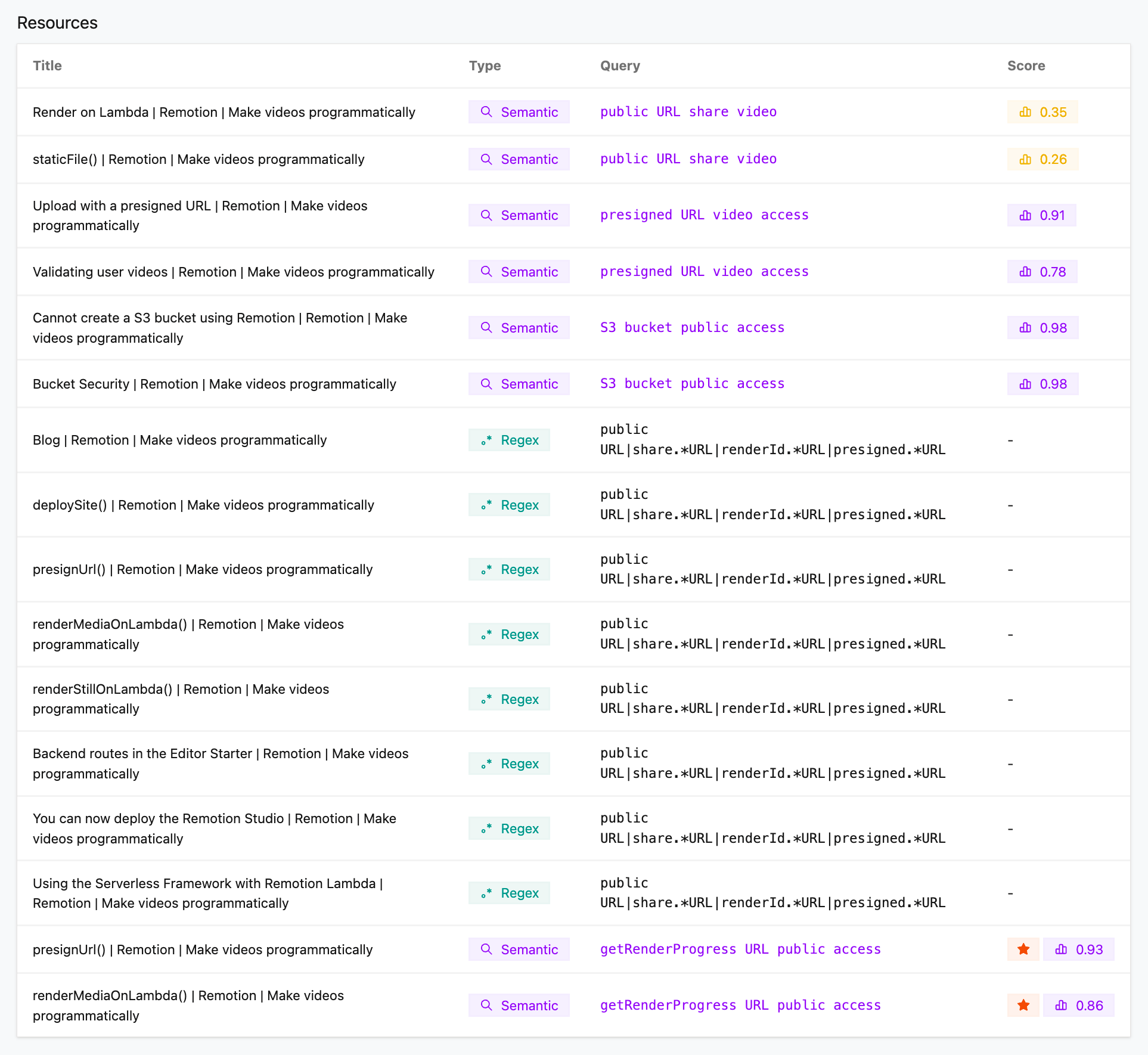
The answer flow now includes text search tools as a fallback when semantic search does not return enough. These tools help the AI find nuanced details and are better suited for code and precise references.
Semantic search matches by meaning and context—great for conceptual questions but it can miss exact wording, API names, or code patterns. Phrase search looks for a literal phrase and returns scored snippets. Regex search matches using a regular expression so the AI can target specific patterns: function or method names, URL shapes (e.g. presigned.*URL), code snippets, or exact syntax that semantic search would not reliably hit.
Regex matches are pattern-based and precise—they either match or they do not—so the AI can narrow in on exact strings, variable names, and code structures that matter for technical answers. Together with semantic search, the AI can first find the right area with meaning-based search, then use phrase or regex search to pull out the precise detail needed for code or API usage.
February 3, 2026
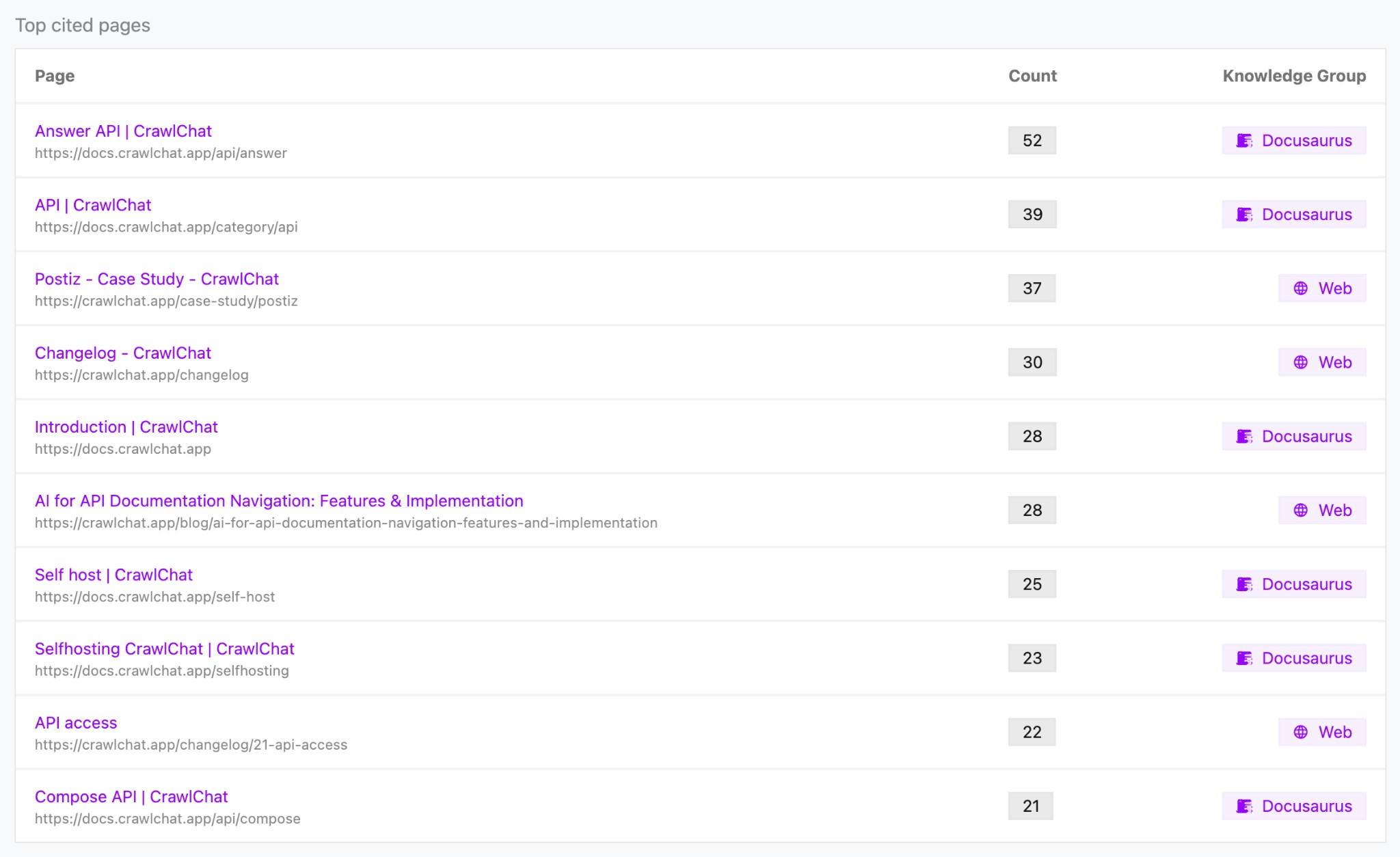
The Summary page now includes a Top cited pages section that shows which knowledge pages were cited most often in answers over the last two weeks.
- See citation count per page
- Jump to each page in the knowledge base
- View the associated knowledge group for each entry
This helps you identify your most useful documentation and prioritize content that drives answers.