March 2026
March 28, 2026
Now MiniMax M2.7 and MiMo Pro V2 are available to usee on the platform. Find more details here
March 27, 2026
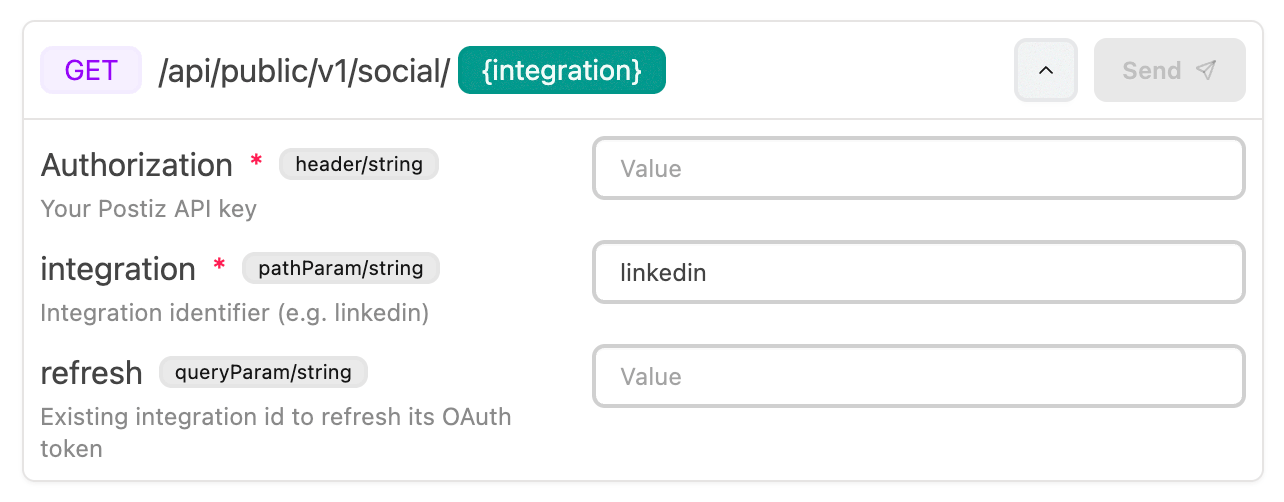
Now you can show an interactive API Playground widget that is embedded in the chatbot answers where the information is prefilled by the AI and the user can enter extra information and try out the APIs without leaving the chat widget.
It supports headers, body payload, query parameters, URL parameters as of now. The AI uses the documentation (knowledge base) to decide the schema and URLs.
You can enable this from settings page
March 15, 2026
Now you can view and manage your collections, questions, and most of the things you can view on dashboard over an MCP server. This lets you integrate your CrawlChat collection information with your AI applications.
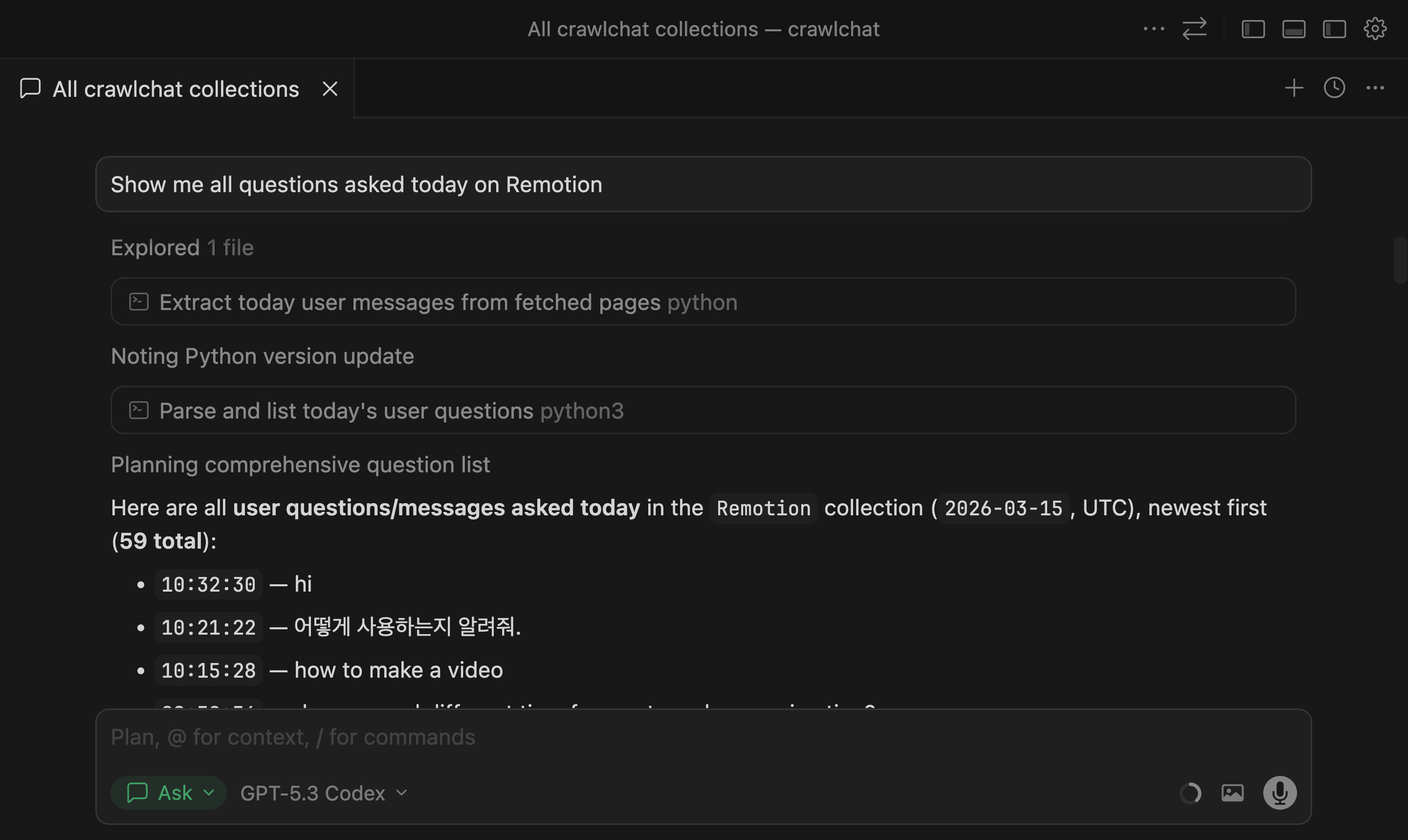
Read the full docs at MCP API docs.
March 10, 2026
The Summary page now includes three additional stats to help track usage and impact:
- Questions per user: average number of questions asked per user
- Avg user lifetime: average time from a user's first question to last question
- Time saved: estimated human hours saved from cited links in answers
Current stats shown on the Summary page:
- Today: questions asked today
- Total: total questions in selected period
- Not helpful: answers rated with thumbs down
- Users: unique users in selected period
- Questions per user: average questions per user
- Avg user lifetime: average days between first and last question
- Time saved: estimated human hours saved
- Happy: percentage of happy-sentiment questions
- Sad: percentage of sad-sentiment questions
- Resolved: questions marked as resolved
March 3, 2026
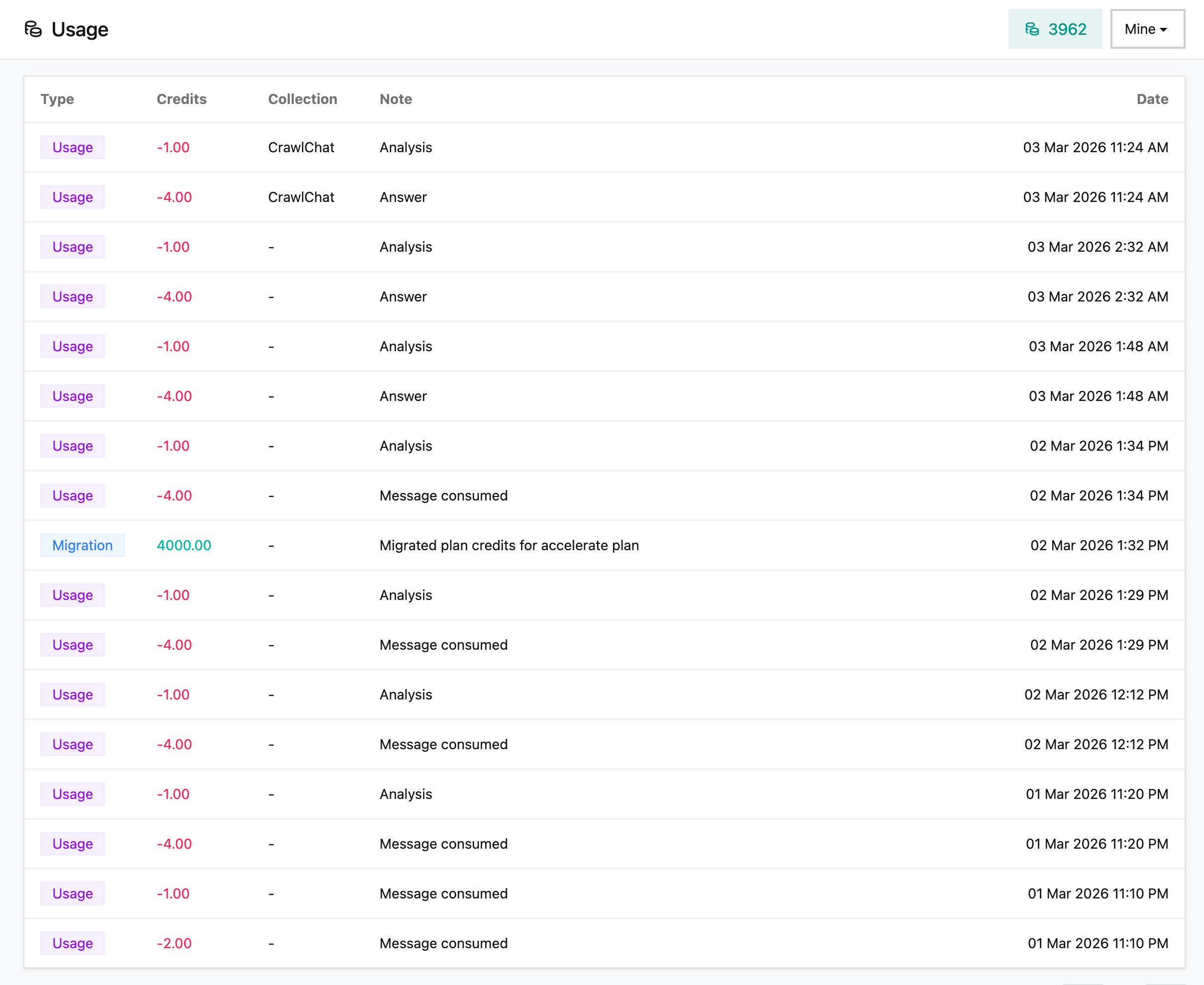
Now you can view the Message Credits Usage from the Usage page. It shows all the credit additions, consumptions, topups. This gives the clear picture of how the credits being used in the collection. You can view either the Collection or your own usage on this page.
March 1, 2026
Now you can add more credits on demand to your account from the billing section or Pricing page. They get added to your account instantly. Note that the credits do not rollover to the next month and you need to be on a paid plan already.