January 2026
January 30, 2026
Your users can now turn any conversation into a shareable group chat so multiple people can collaborate in the same thread.
- Create a group conversation directly from the chat widget
- Share a single link with your team
January 28, 2026
CrawlChat now automatically detects and tracks the language of each question asked by your users. This helps you understand your audience better and identify which languages your documentation might need to support.
- Language is automatically detected for every question
- View the detected language on each question's detail page
- See a breakdown of all languages used in a pie chart on the Summary page
- Identify opportunities to add documentation in other languages based on user demand
January 24, 2026
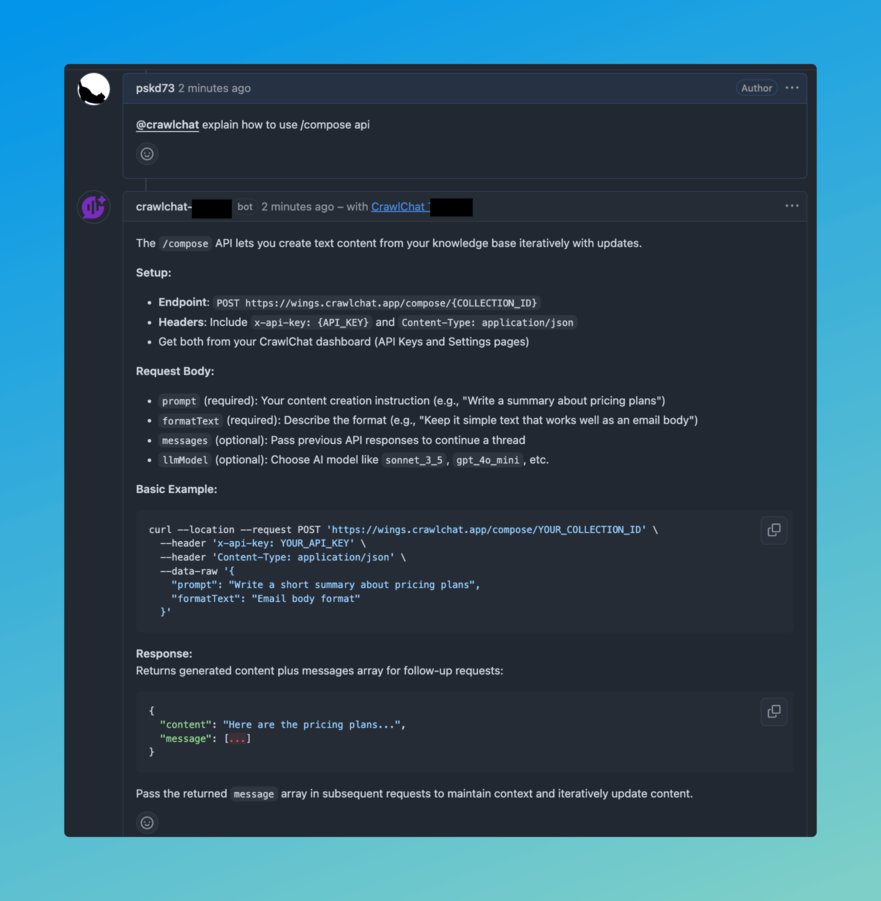
You can now integrate CrawlChat with GitHub to automatically answer questions on GitHub Discussions and Issues. The bot will respond to mentions or when it has high-confidence answers based on your knowledge base.
- Install the GitHub App from here
- Configure your repository in the CrawlChat dashboard under Integrate → GitHub app
- Tag
@crawlchatin discussions or issues to get answers - The bot automatically responds to questions where it has high confidence answers
January 23, 2026
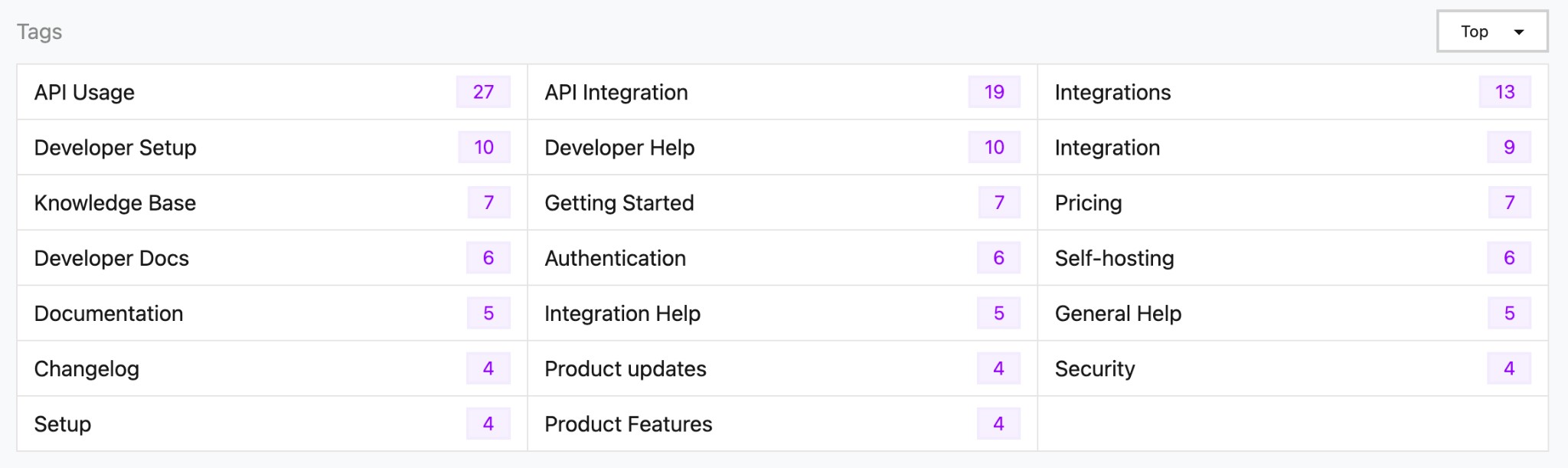
Tags are now automatically generated from your conversations and displayed on the summary page. They help you identify common topics and patterns in user questions.
The tags section shows:
- Tag name - The category or topic identified from conversations
- Count - How many times this tag has appeared
- Sorting options - View tags by "Top" (most frequent) or "Latest" (most recent)
Tags are derived from category suggestions that are automatically generated when analyzing messages, making it easier to understand what topics your users are asking about most frequently.
January 20, 2026
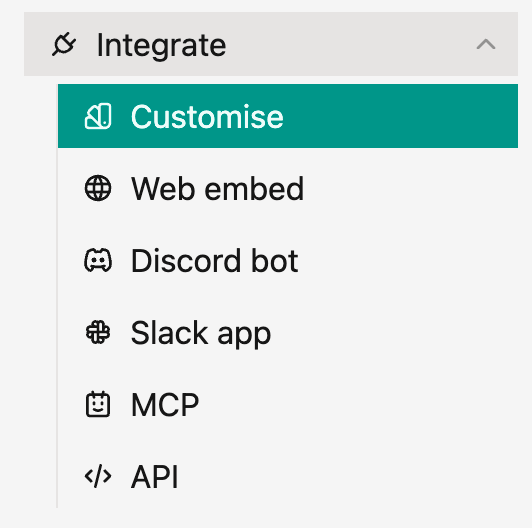
We've improved the navigation for integration options in the side menu. All integration methods are now organized under a single Integrate menu item, making it easier to find and access different ways to connect your knowledge base.
The Integrate menu includes:
- Customise - Customize your integration appearance and behavior
- Web embed - Embed the chat widget on your website
- Discord bot - Connect your knowledge base to Discord
- Slack app - Integrate with your Slack workspace
- MCP - Model Context Protocol server integration
- API - Using the answering engine through API
This new structure provides a cleaner, more organized way to access all integration options from one place in the side menu.
January 15, 2026
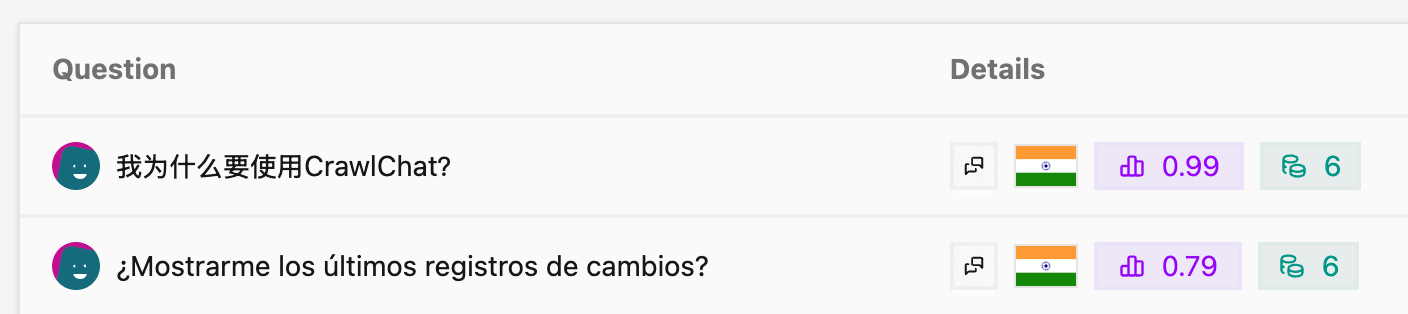
Have added avatars to the Conversations and Threads tables to help you identify and track questions asked by users across time. This feature makes it easier to see who asked what questions and follow user interactions throughout your conversations.
It works on all the channels.
January 15, 2026
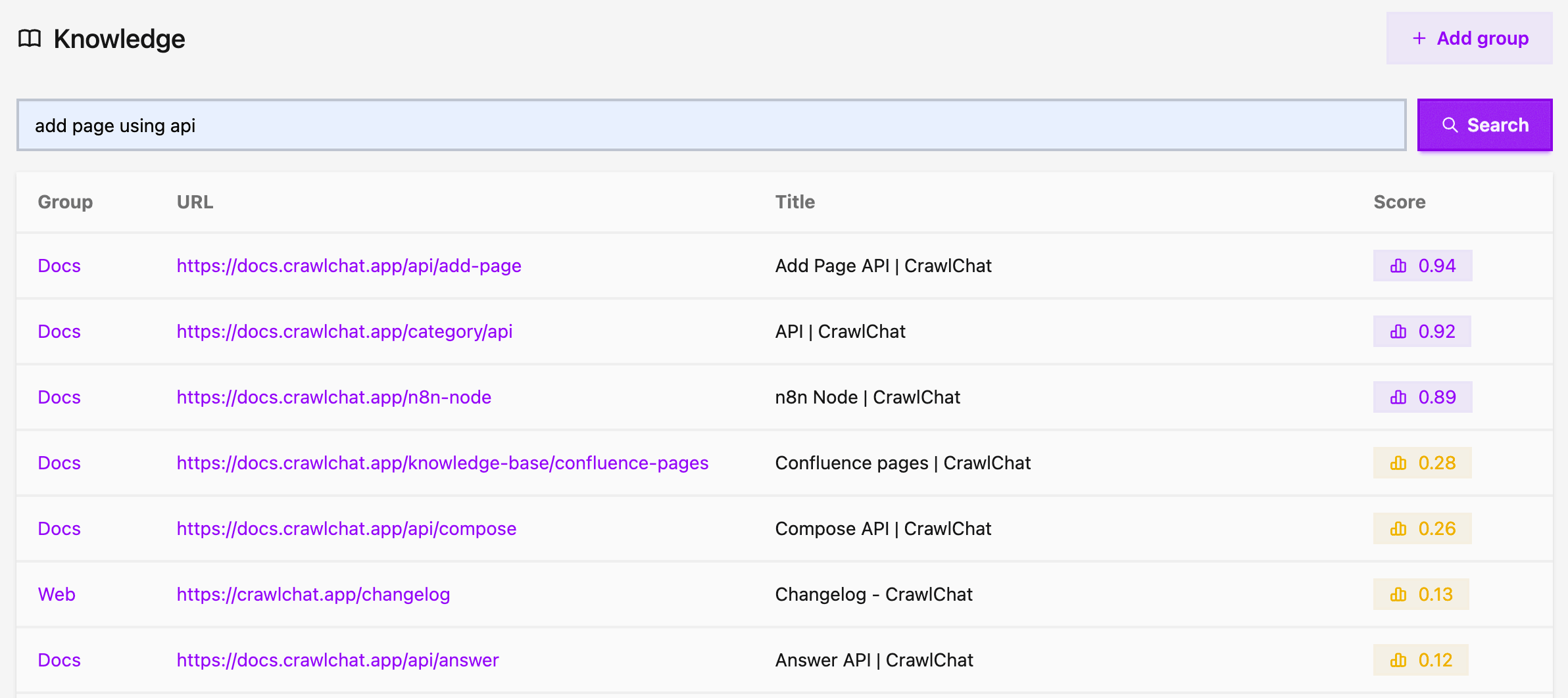
You can now search your knowledge base directly from the Knowledge page. Simply enter any query to find relevant pages across all your knowledge groups. This helps you in debugging pages against search queries and fine tune your documentation pages. You can also just pass the page URL to quickly navigate to it.
The search results display:
- Group - The knowledge group the page belongs to
- URL - Direct link to the page
- Title - The page title
- Score - Relevance score showing how well the page matches your query
All results are clickable, making it easy to navigate to the exact page you're looking for. Higher relevance scores are highlighted to help you find the most relevant content quickly.
January 8, 2026
You can now add your Github Discussions as Knowledge Base instantly. Pick GH Discussions as the Group type while creating the Knowledge Group.
- Enter the Github
repoURL - Once created you can select if only
Answereddiscussions to be fetched